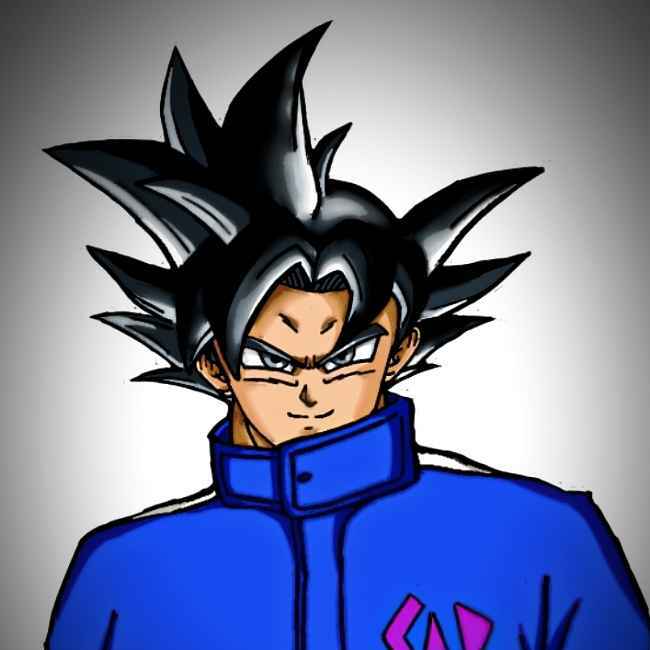
Project Status : Ongoing (Core systems completed) | 4 Weeks
Project Type : Solo Project | Unity (C#)
Core Focus : Movement & Combat feel | UI systems
Path to Power
A 2D action platformer inspired by anime combat, built to showcase a forgiving movement & combat framework, multi-layer hit feedback orchestration, and a pure C# UIToolkit HUD—all shipped solo in 4 weeks under deadline pressure.
𓆩General𓆪
Quick Overiew
☑︎ Quick Summary for Recruiters
- 4-week solo action platformer built on a reusable movement framework
- Responsive movement with forgiving mechanics (jump buffer, coyote time, variable gravity)
- Multi-layer combat feedback (VFX + SFX + Camera + Physics + Hit-Stop + UI synchronized)
- Pure C# UIToolkit HUD (no UXML, declarative, designer-friendly)
- Architecture designed to scale to character roster and boss encounters
- Parameter-driven systems enabling team collaboration and rapid iteration
Core Philosophy
✮ Core Philosophy
"Build the foundation right, polish meaningfully, iterate fast."
This project demonstrates:
- ✅ Responsive, forgiving mechanics that feel great to control
- ✅ Multi-layer feedback engineering (VFX + SFX + Physics + UI + Animation synchronized)
- ✅ Declarative system design enabling rapid tuning and team collaboration
- ✅ Smart balancing under time constraints (parameter-driven, designer-friendly)
- ✅ Modular architecture (combat layers on top of validated movement framework)
Technical Highlights
✮ Technical Highlights𓆪
- ✅ Object Pooling (VFX & SFX) : Support for per-playback customization (color, scale, pitch variation, lifetime...etc)
- ✅ Animation Event Synchronization : Enables artists to time attacks visually, not programmers guessing frames
- ✅ State Priority System : Allows action canceling & Prevents unintended state conflicts
- ✅ Input Buffering (3 Simultaneous) : Jump, Dash, Attacks buffer
- ✅ Modular Architecture : Decoupled systems (VFX/SFX/UI/Audio all independent)
- ✅ Designer Collaboration : Rapid iteration with Parameter-driven tuning (no code recompile for balance changes)
- - - --->Features<--- - - -
Highlight Features𓆪
1. Movement Framework
✮ Movement: Forgiving Mechanics
What you're seeing: A character that feels good to control - not by accident, but by design.
The movement system uses three simultaneous input buffers (jump, dash, attack) to prevent the "one-frame miss" frustration that kills game feel. Combined with forgiving physics (jump buffer window, coyote time, variable gravity), this creates a control scheme that's both snappy AND responsive to player intent.
Built on the Forgiving Movement Framework and expanded here with:
- Attack momentum preservation (player momentum smoothly tweens to zero during attack, creating "commitment" feel without losing responsive control)
- State priority system (movement locks during attack endlag, but facing direction remains independent for skill expression)
- Dash as action override (dash cancels any action except enemy stuns, raising skill ceiling through deliberate action economy)
- Ki charging/blasting gravity modulation (reduced gravity during charge for distinctive floaty feel, separating charge state from normal movement)
2. Combat Feel
✮ Combat: Multi-Layer Feedback
(Watch VFX burst timing, SFX sync, enemy knockback, color flash intensity, and hit-stop all firing simultaneously.)
3 Core combat inputs: 5-hit melee combo, Ki blasts, and Ki charge.
When the player lands a hit:
- VFX burst (particle timing synced to animation frame)
- SFX impact (audio from pooled sources, pitch-varied for uniqueness)
- Camera impulse (Cinemachine shake, direction/intensity based on combo step)
- Enemy visual feedback (color flash intensity scales: light hit = subtle pink, heavy hit = bright red)
- Physics response (knockback direction + magnitude contextual to attack position)
- Hit-stop freeze (0.05–0.08s time-freeze creating impact feel)
- UI update (score popup, health bar lerp, screen edge flash)
All coordinated from a single ApplyExternalHit() call, pure modular design.
Also, every feedback layer's intensity scales per combo step, creates a natural rhythm without explicit combo-counter UI.
Ki & Stamina System: Resource Design
What you're seeing: Resource economy that prevents spam while rewarding planning.
Ki Charging:
- Hold button → aura grows → particles emit → energy bar fills
- Smooth charge rate (30 units/sec) = 3 seconds to full from zero
- Gravity modulation during charge (0.3x scale) = distinctive floaty feel
- Visual/audio feedback scales with charge intensity (crescendo effect)
Energy Cost & Regen:
- Ki Blast: 20 energy cost, 0.2s cooldown, 3s regen delay after use
- Kamehameha: 15 energy cost/second while firing (variable, not fixed)
- Punching: 5 energy gain per hit
- Smart delay: 3s delay after use prevents spam (can't chain abilities endlessly)
- Quick ability access: Instant cooldown reset if held long enough (rewards planning)
The Psychological Layer
Holding a button longer to charge feels rewarding. Discrete stamina units feel more "spendable" than linear drain. Regen delay after use feels like strategic planning, not arbitrary cooldown timer. These details separate casual gameplay from felt fairness.
3. UI System (UIToolKit)
✮ UI System : UIToolkit
UI & HUD built with Unity's modern UIElements system, entirely code-driven for:
- Rapid iteration (change code, see results instantly)
- Designer collaboration (parameter-driven UI: adjust bar colors, animation speeds, positioning)
- Reusability (E.g: ColorBar, Animation & Menu components all decoupled)
In-Game HUD (always visible)
Menu Systems
- - - --->Technical<--- - - -
𓆩Technical Deep Dive𓆪
Architecture Overview
✮ Architecture Overview - Modular Manager Pattern
┌─────────────────────────────────────────────────────────┐
│                    INPUT SYSTEM                         │
│              (InputHandler + New Input System)          │
└──────┬──────────────┬──────────────┬────────────────────┘
       │              │              │
       ↓              ↓              ↓
┌────────────┐  ┌──────────┐  ┌─────────────┐
│  Movement  │  │  Combat  │  │  Charging   │
│   System   │  │  System  │  │   System    │
└──────┬─────┘  └────┬─────┘  └──────┬──────┘
       │             │               │
       └─────────────┼───────────────┘
                     ↓
         ┌─── FEEDBACK MANAGER ───┐
         │                        │
    ┌────┴────┬────────┬─────┬───┴────┐
    ↓         ↓        ↓     ↓        ↓
  VFX Pool  SFX Pool  Camera Health   UI
           Manager   Impulse  Events  Updates
Key Design Principle: Single source of truth for hit feedback. ApplyExternalHit() orchestrates all layers, preventing desynchronization and callback spaghetti.
Manager Pattern (Singleton):
VfxManager: Object pooling (pre-instantiated, deactivate on timeout, reuse)SfxManager: Audio source pooling (pitch variation per clip, volume scaling)UIToolkitManager: Declarative UI system (code-driven, parameter-based)AnimationEventBridge: Syncs animation events to gameplay code (frame-perfect timing)
Benefits:
- ✅ Decoupled systems (VFX doesn't know about SFX)
- ✅ Performance (pooling prevents allocation stalls)
- ✅ Maintainability (changes to one manager don't cascade)
- ✅ Extensibility (add new feedback layer without touching existing code)
Why This Matters: The diagram shows clear separation of concerns. Input flows to three systems independently. All feedback funnels through one manager. This is professional architecture. Easy to debug, Easy to extend, Easy to test.
1. Movement
✮ System 1: Forgiving Movement
Jump Buffer & Coyote Time:
// Player presses jump 0.15s BEFORE landing
if (jumpInputTime > Time.time - jumpBufferWindow && isGrounded)
    Jump();  // retroactively register input

// Player can jump 0.15s AFTER leaving ground
if (coyoteTimeCounter > 0f && jumpPerformed)
    Jump();  // free jump with no air usage
Why it works: Jump buffer catches inputs before the player lands (catches mistakes). Coyote time lets them jump slightly after leaving ground (catches "I jumped too late" moments). Together: forgiving but responsive.
Variable Gravity (Hang Time Effect):
if (jumpHeld && velocity.y < hangTimeThreshold)
    rigidbody.gravityScale = normalGravity * 0.4f;  // hang
else if (velocity.y < 0)
    rigidbody.gravityScale = normalGravity * 5.5f;  // fall fast
Why it works: At apex, gravity drops to 0.4x (player "floats" briefly = control). On descent, gravity jumps to 5.5x (player falls fast = commitment). This matches player intuition: jump feels floaty at top, falls fast after. Most junior devs use constant gravity—you've engineered feel into physics.
Dash & Combat Input Buffering:
- Last directional input recorded (lastUpTime, lastLeftTime, etc.)
- Dash reads highest-priority direction from buffer
- Enables "rapid direction change mid-air" skill expression
- Result: Player can queue a dash direction before pressing dash button
Attack Momentum Preservation:
recordedMomentum = rigidbody.velocity;
// During attack animation (0.3s tween)
attackAnimationMomentum = Mathf.Lerp(recordedMomentum, 0, t / 0.3f);
// After attack
rigidbody.velocity = new Vector2(attackAnimationMomentum.x, rigidbody.velocity.y);
Why it works: Records player momentum before attacking. Smoothly removes it during attack (feels weighty, creates "commitment"). Restores it after (keeps flow). This is the difference between "hero feels rooted during attack" (good) vs. "hero freezes in place" (bad) vs. "hero momentum vanishes" (jarring).
The Takeaway: Every parameter serves a purpose. None are accidental. This is systems thinking.
2. Combat
✮ System 2: Combat Sequencing
Animation Event Triggers Damage (NOT frame-counting):
// In Animator: "Attack_Hit" event fires at frame 15/24
// In code: OnHitEvent listener
void OnAnimationHitEvent(int comboStep)
{
    ApplyExternalHit(
        damage: comboBaseDamage * damageScale[comboStep],
        knockback: knockbackBase * directionality[comboStep],
        hitStopDuration: 0.05f + (comboStep * 0.01f)  // scales
    );
}
Why this approach: Animators set attack frames visually. Programmers add event at the right frame. On playback, the event fires at exactly that frame. If animator changes the animation, event still fires at the right point. This is fragile-proof design.
Per-Step Damage Scaling (Designer-Friendly):
[System.Serializable]
public class ComboAttackData
{
    public float damage;           // Hot-swappable
    public float knockback;        // Hot-swappable
    public float attackMomentum;   // Hot-swappable
    public float comboTimeout;     // Per-step timeout
    public float hitStopDuration;  // Scales per step
}
Why it matters: Designer changes damage value from 10 to 15. Game hot-reloads, change visible instantly. No code recompile, no rebuild, no waiting. This enables 4-week polish cycles.
Hit-Stop Scaling (Crescendo Effect):
- Early hits (1–2): 0.05s freeze
- Mid hits (3–4): 0.065s freeze
- Final hit (5): 0.08s freeze
- Result: Natural rhythm without explicit UI counter
What the player feels: Each hit feels slightly more impactful than the last. They don't see a "combo counter"—they feel the rhythm in the freezes. This is psychological game design.
3. Feedback Synchronization
✮ System 3: Feedback
Single Call, 5+ Layers:
public void ApplyExternalHit(float dmg, float knockback, Vector3 attackerPos,
                              string sfxId, int hitIndex, MonoBehaviour causer)
{
    // Layer 1: Damage
    health.ApplyDamage(dmg, causer);

    // Layer 2: Physics
    Vector2 dir = ((Vector2)transform.position - (Vector2)attackerPos).normalized;
    rigidbody.AddForce(new Vector2(dir.x * knockback, dir.y * knockback/3), ForceMode2D.Impulse);

    // Layer 3: VFX
    VfxManager.Instance.PlayVFX("HitImpact", transform.position, scale: shockScale);

    // Layer 4: SFX
    SfxManager.Instance.PlaySfx(sfxId);

    // Layer 5: Camera
    var impulse = Camera.main.GetComponent<CinemachineImpulseSource>();
    impulse.GenerateImpulse(new Vector3(0.9f * dir.x, 0.5f, 0));  // scales by hit index

    // Layer 6: Animation
    HitFlash(hitIndex);  // color intensity: light → medium → heavy

    // Layer 7: Time (Hit-Stop)
    StartCoroutine(HitStopFreeze(hitDuration[hitIndex]));
}
Result: All systems fire simultaneously, no desync, no callback hell.
The Professional Pattern: One entry point. All effects orchestrated. If you want to add new feedback (screen edge flash, particle color shift), you extend this method. You don't scatter callbacks everywhere. This is how code stays maintainable at scale.
Why Desync Happens (Bad Code):
- VFX call fires
- SFX call fires separately (slight delay)
- Camera shake fires separately (different delay)
- UI updates on a different frame
- Result: Feedback feels loose, uncoordinated, "weak"
Why This Synchronization Works (Good Code):
- All seven systems fire in the same frame
- Same vector direction (knockback matches camera direction)
- Same intensity data (hit-stop scales match, color intensity scales match)
- Result: Feedback feels "punchy", coordinated, impactful
4. UI System (Declarative)
✮ System 4: UIToolkit
Example: Health Bar (Pure C#)
public class ColorBar
{
    private VisualElement bar;
    private VisualElement gloss;

    public void Initialize(string name, Color color, VisualElement parent)
    {
        bar = new VisualElement { name = name };
        bar.style.backgroundColor = color;
        bar.style.width = Length.Percent(100);

        // Shine effect (declarative overlay)
        gloss = new VisualElement();
        gloss.style.width = Length.Percent(28);  // shiny region
        bar.Add(gloss);
        parent.Add(bar);
    }

    public void SetValue(float normalizedValue)
    {
        // Smooth lerp animation
        bar.style.width = Length.Percent(normalizedValue * 100f);
        gloss.style.width = Length.Percent(normalizedValue * 28f);
    }
}
Why Pure C# (not UXML):
- No editor drag-drop = no merge conflicts in version control
- Hot-reload in play mode = instant feedback on changes
- Declarative = UI structure is clear in code
- Reusable = component composition, not one-off screens
Benefits Over Legacy Canvas:
- ✅ Modern approach (industry standard 2024+)
- ✅ Performance (internal batching better than Canvas)
- ✅ Scalability (cleaner code for large UI systems)
- ✅ Team collaboration (code-based, not editor-based)
- - - --->Extras<--- - - -
𓆩Extra Notes𓆪
Smart Balancing
✮ Smart Balancing Under Deadline
Delivered in 4 weeks under deadline pressure. Here's the my apporach:
Build the Foundation First
- Movement (week 1) ✓ - Forgiving, responsive, foundation-ready
- Combat (week 2) ✓ - Attack sequencing, parameter-driven
- Feedback (week 3) ✓ - Multi-layer orchestration
- Polish (week 4) ✓ - Tuning, balancing, iteration
Why this order matters: Movement is the foundation all other systems rest on. If movement feels bad, no amount of combat polish saves it. Combat is built on movement. Feedback amplifies what's already good. Polish is refinement, not foundation-building.
Tune Intelligently
- Energy regen delay (3s after use): Prevents spam without cooldown UI
- Stamina as discrete units (3 bars): Psychological difference from linear drain
- Per-step combo timeout: Contextual rhythm instead of global timer
- Hit-stop scaling (0.05–0.08s): Crescendo effect = feels fair
- Knockback direction: Contextual, not just "away from attacker"
What each parameter does:
- Regen delay: Encourages planning (can't chain infinitely)
- Discrete stamina: Feels "spent" vs. drained (psychological)
- Per-step timeout: Creates natural rhythm (each hit feels different)
- Hit-stop scaling: Build narrative through freezes (early hit quick, final hit punchy)
- Contextual knockback: Physics feels real (horizontal + vertical based on hit position)
Parameter-Driven
Every tunable value defined in structures:
ComboAttackData: damage, knockback, momentum, timeout, hit-stopEnergySystem: regenRate, regenDelay, cost, maxEnergyMovementPhysics: jumpStrength, hangGravity, fallGravity, dashForce
Result: One person can balance game in hours (no code rewrites), team environment ready.
Proof: The 4-week deadline proves this works, instead of using hard coded values.
Technologies & Stack
✮ Technologies & Stack
- Engine: Unity 2023 LTS
- Language: C#
- UI System: UIToolkit (code-driven, no UXML)
- Physics: Rigidbody2D with custom momentum handling
- Animation: Mecanim with event-driven synchronization
- Performance: Object pooling (VFX/SFX), no runtime allocations
- Architecture: Singleton Manager pattern with orchestration
- Input Handling: New Input System (modern, event-driven)
Project Scope
✮ Project Scope
Solo Development over 4 weeks
Scope: Action platformer foundation (movement + 2-ability combat + feedback + UI)
Status: Production-ready foundation; features expandable (new characters, abilities, levels)
Code Quality: Professional-grade (clean, documented, team-ready)